0 ratings







Item #:
123448875
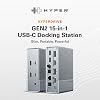
HyperDrive USB-C & Thunderbolt 4 GEN2 15-in-1 Docking Station for MacBook, iPad, PC - HDMI or DP, Up to 3 Extended Displays, High-Speed USB Data
Item #:
123448875
USD 152
Price Details
Excluding Shipping & Custom charges ( Shipping and custom charges will be calculated on checkout )
*All items will import from US
In stock
 Imported from USA store
QTY:
Order now and get it around Thursday, June 25
Secured transaction
Ubuy works hard to protect your security and privacy. Our advanced payment security system ensures confidentiality by encrypting your information during transmission using AES (Advanced Encryption Standards) and SSL (Secure Socket Layer) protocols. Your payment details are 100% secure as we do not share your payment details with third party sellers.
Our Top Logistics Partners


The HyperDrive Thunderbolt 4 Power Hub integrates GaN technology to eliminate a large power brick, making it slim and portable.

Fast
Shipping

Free
Return*

Secure Packaging

100% Original Products

PCI DSS Compliance

ISO 27001 Certified


Note: Step Down Voltage Transformer required for using electronics products of US store (110-120). Recommended power converters Buy Now.


What Stands Out
Multi-Display Support
Connect up to three extended displays via HDMI or DisplayPort, enhancing productivity for professionals and creatives who require a multi-monitor setup.
High-Speed Data Transfer
Utilizes USB-C and Thunderbolt 3 technology, ensuring rapid data transfer speeds, ideal for transferring large files quickly between devices.
Versatile Compatibility
Designed for MacBook, iPad, and PCs, ensuring seamless connectivity across various devices, making it a perfect solution for diverse user needs.
Product Details
- TRIPLE EXTENDED DISPLAY - Easily connect up to 3 external displays with the flexibility of 2 HDMI and 2 DP ports. This USB-C docking station connects with 2 HDMI ports or 2 DisplayPorts that can be used interchangeably. Up to 3 Extended Displays are supported on Windows and Chrome OS only as MST (Multi-Stream Transport) is required.
- HIGH-SPEED USB - Enjoy blazing-fast connectivity with 10 Gbps USB-A and USB-C, this USB 3.2 docking station performs 2X faster than our 1st generation hubs. Quickly charge a high-capacity laptop battery with 100W USB-C power charging delivery.
- FAST AND RELIABLE GIGABIT ETHERNET - Get the most reliable and fastest internet connection for work, play, and video conferencing with our MacBook docking station. Setup is easy with driverless plug & play capability, allowing for easy installation and deployment.
- PRO-GRADE DIGITAL AUDIO - Capture and listen to the best sound quality possible with digital coaxial and optical fiber TOSLINK input and output. Our laptop dock station is designed to bring out the best in your audio and HDMI accessories.
- HYPER INNOVATION - HYPER creates award-winning, cutting-edge IT and mobile accessories that focus on compatibility with Apple, portable power, and connectivity.
| Hardware Interface | HDMI |
| Compatible Devices | Windows OS laptop with Thunderbolt 3/4, USB4, USB 3.0 or later Type C with DP Alt-Mode; Chrome OS laptop with Thunderbolt 3/4, USB4, USB 3.0 or later Type C with DP Alt-Mode; MacBook Pro 2016 or Later, MacBook Air 2018 or Later, MacBook 2015, 2016; iPad Pro 2018 or later, iPad Air 2020 or later |
| Total Usb Ports | 5 |
| Number of Ports | 15 |
| Total Number of HDMI Ports | 2 |
| Wattage | 100 watts |
| Color | Silver |
| Brand | Hyper |
| UPC | 817110016322 |
| Manufacturer | Hyper |
| Mfr Part Number | HDG215-US |
| Compatible Devices | Windows OS laptop with Thunderbolt 3/4, USB4, USB 3.0 or later Type C with DP Alt-Mode; Chrome OS laptop with Thunderbolt 3/4, USB4, USB 3.0 or later Type C with DP Alt-Mode; MacBook Pro 2016 or Later, MacBook Air 2018 or Later, MacBook 2015, 2016; iPad Pro 2018 or later, iPad Air 2020 or later See more |
| Total USB Ports | 5 |
| Total HDMI Ports | 2 |
| Item Weight | 0.56 lbs (250 grams) |
Who Should Buy?

-
Creative Professionals
Ideal for designers and video editors needing multiple displays and fast data transfer for efficient multitasking.
-
Remote Workers
Perfect for those working from home with multiple devices, providing essential connectivity ports for productivity.
-
Tech Enthusiasts
Great for users who appreciate high-tech gadgets and need robust connectivity options for their devices.

-
Casual Users
Not suitable for everyday users needing a simple connection without extensive features or advanced display options.
-
Budget-Conscious Buyers
May be too expensive for users seeking basic functionality without the need for multiple ports and displays.
-
Mobile Users
Less portable and practical for users who require a lightweight solution for on-the-go connectivity.
Product Description
Have any Query? Chat with us
Customer Questions & Answers
-
Question:
What devices are compatible with the HyperDrive USB-C & Thunderbolt 4 GEN2 Dock?
Answer: The HyperDrive USB-C & Thunderbolt 4 GEN2 Dock is compatible with various devices including MacBook Pro, MacBook Air, iPad, and most Thunderbolt 3 and USB-C enabled PCs. This versatility makes it ideal for professionals using different platforms and for users transitioning between devices. Whether you're connecting a laptop for work or an iPad for media consumption, this docking station provides seamless integration and connectivity. -
Question:
What types of connections and ports does the HyperDrive Dock offer?
Answer: The HyperDrive Dock features an impressive array of 14 ports, including Thunderbolt 4, USB-C, USB-A, HDMI, Ethernet, and an SD card reader. This extensive selection allows you to connect multiple peripherals like monitors, storage devices, and networking equipment simultaneously. Perfect for creatives or remote workers, you can enhance your workspace efficiently by expanding your device's connectivity capabilities. -
Question:
Can I connect multiple external monitors using the HyperDrive Dock?
Answer: Yes, the HyperDrive 14-in-1 Dock supports multiple external monitors via its HDMI and DisplayPort outputs. You can connect two 4K displays simultaneously at 60Hz, which is ideal for multitasking or enhancing your workspace with additional screen real estate. This feature is particularly beneficial for professionals in graphic design, video editing, or data analysis who need to view and interact with multiple applications at once. -
Question:
What is the maximum data transfer speed of the HyperDrive Dock?
Answer: The HyperDrive USB-C & Thunderbolt 4 GEN2 Dock supports data transfer speeds up to 40Gbps thanks to its Thunderbolt 4 technology. This high-speed capability is perfect for transferring large files swiftly, such as videos or high-resolution photos, making it an excellent option for photographers and videographers. You can work efficiently without worrying about bottlenecks during data transfers. -
Question:
Does the HyperDrive Dock support charging devices?
Answer: Absolutely! The HyperDrive Dock can deliver power to connected laptops while simultaneously supporting data transfer. With up to 100W of power delivery through its USB-C ports, it can effectively charge your MacBook or compatible devices. This makes it a convenient solution for users who want to minimize cable clutter and keep their workspace organized. -
Question:
Can I use the HyperDrive Dock for video conferencing?
Answer: Yes, the HyperDrive Dock enhances video conferencing experiences by allowing you to connect high-definition cameras and microphones through its USB ports. The HDMI ports also let you connect additional monitors for better visibility during calls. This functionality is ideal for professionals who rely on virtual meetings and need a setup that supports clear video and audio communication. -
Question:
Does the HyperDrive Dock require any special drivers or software?
Answer: No, the HyperDrive USB-C & Thunderbolt 4 GEN2 Dock operates plug-and-play, meaning it does not require additional drivers or software for most operating systems. As soon as you connect it to a compatible device, it will be recognized automatically. This ease of use significantly simplifies setup and usability, ensuring you can get to work right away. -
Question:
Is the design of the HyperDrive Dock portable?
Answer: Yes, the HyperDrive Dock is designed with portability in mind. It features a compact and lightweight design, making it easy to carry in a laptop bag or backpack. This is particularly advantageous for professionals who travel frequently or work from different locations, as they can maintain a productive workspace anywhere with just one device. -
Question:
How does the HyperDrive Dock enhance productivity at work?
Answer: The HyperDrive 14-in-1 Dock significantly boosts productivity by allowing users to connect multiple peripherals simultaneously. With its extensive range of ports, you can easily access various devices, transfer files, and manage multiple screens, reducing the time spent on connectivity issues. This is especially useful in busy environments where quick access to data and efficient multitasking are essential. -
Question:
Where can I buy the HyperDrive USB-C & Thunderbolt 4 GEN2 Dock?
Answer: You can purchase the HyperDrive USB-C & Thunderbolt 4 GEN2 Dock through Ubuy, which offers a convenient platform for finding this high-speed docking station in Timor-Leste. Ubuy provides a user-friendly shopping experience, along with features that help you explore specifications and user reviews to make informed decisions on your purchase.
Hyper Docking Stations Editorial Review
No editorial reviews found
Customer Reviews & Ratings
1 customers ratings
-
5 Star
0%
-
4 Star
100%
-
3 Star
0%
-
2 Star
0%
-
1 Star
0%
Review this product
Share your thoughts with other customers
Pros
- Supports up to 3 displays
- High-speed data transfer
- Versatile connectivity options
- Compact and portable design
- Excellent build quality
Cons
- Might run warm during heavy use.
Product Price History
Important information
- Limitations : For products shipped internationally, please note that any manufacturer warranty may not be valid; manufacturer service options may not be available; product manuals, instructions, and safety warnings may not be in destination country languages; the products (and accompanying materials) may not be designed in accordance with destination country standards, specifications, and labeling requirements; and the products may not conform to destination country voltage and other electrical standards (requiring use of an adapter or converter if appropriate). The recipient is responsible for assuring that the product can be lawfully imported to the destination country. When ordering from Ubuy or its affiliates, the recipient is the importer of record and must comply with all laws and regulations of the destination country.
- Not all the products listed on Ubuy are for sale, as Ubuy is a global search engine. Products are subject to export/trade regulations.
USD 152
Order now and get it around Thursday, June 25
This item is not restrict in my country.(Please click on above link if this item is not restrict in your country, So our team will review and allow.)
QTY:
Secured transaction
Ubuy works hard to protect your security and privacy. Our advanced payment security system ensures confidentiality by encrypting your information during transmission using AES (Advanced Encryption Standards) and SSL (Secure Socket Layer) protocols. Your payment details are 100% secure as we do not share your payment details with third party sellers.
Our Top Logistics Partners
Fastest cross-border delivery
Features & Benefits
- Designed for advanced video editors and creatives.
- No external power brick – uses integrated GaN technology.
- 96W passthrough charging for all USB-C interfaces.
- Three Thunderbolt 4 downstream ports for fast data transfer.
- Supports daisy chaining of additional Thunderbolt devices.
- Enhanced graphics performance with up to 8K HDMI display support.